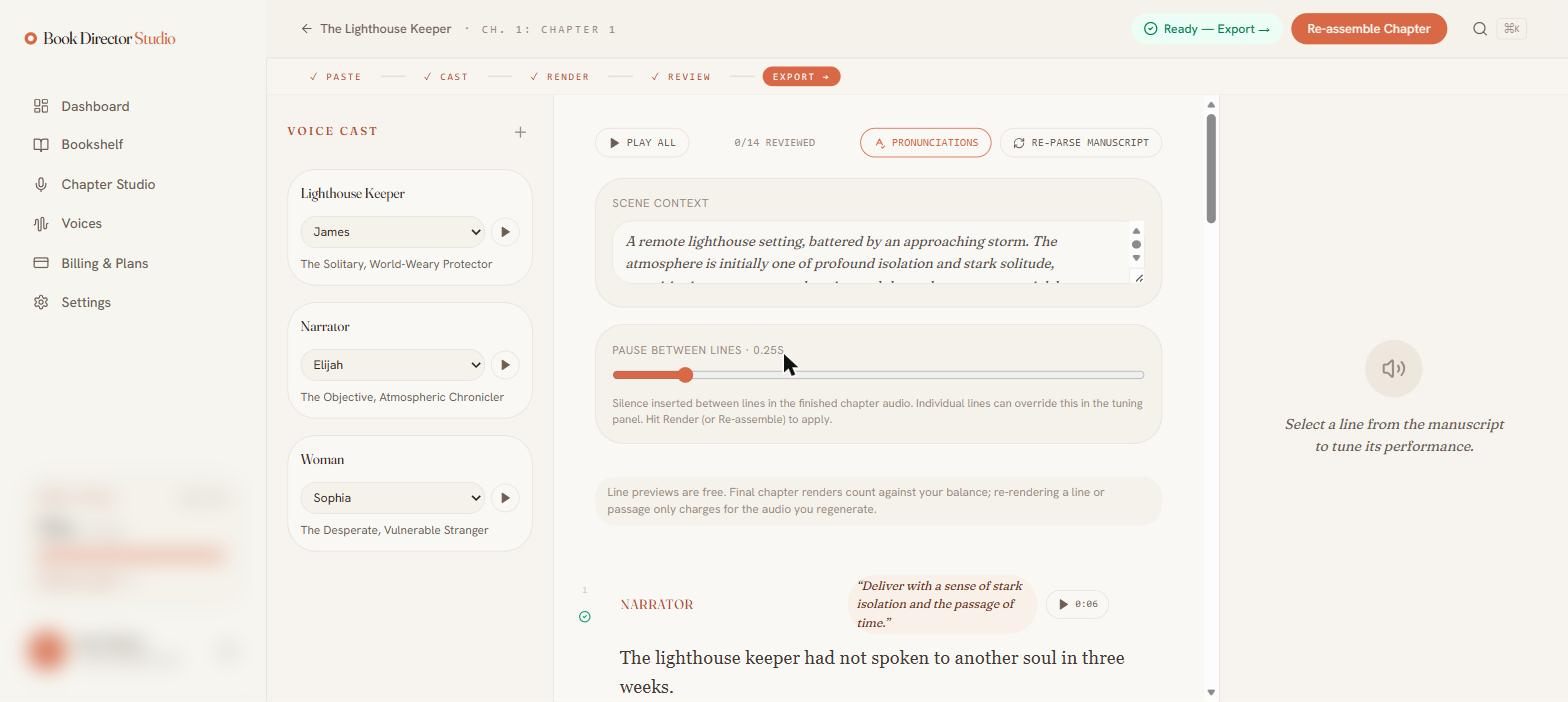
Finish & publish
Review & playback
The Review step is for listening back. A transport bar gives you full playback control, the currently-playing line is highlighted, and a counter tracks how many lines you have reviewed.
Play back your chapter
Use Play All, or Play it from the render dialog, to start the transport bar at the bottom of the studio.
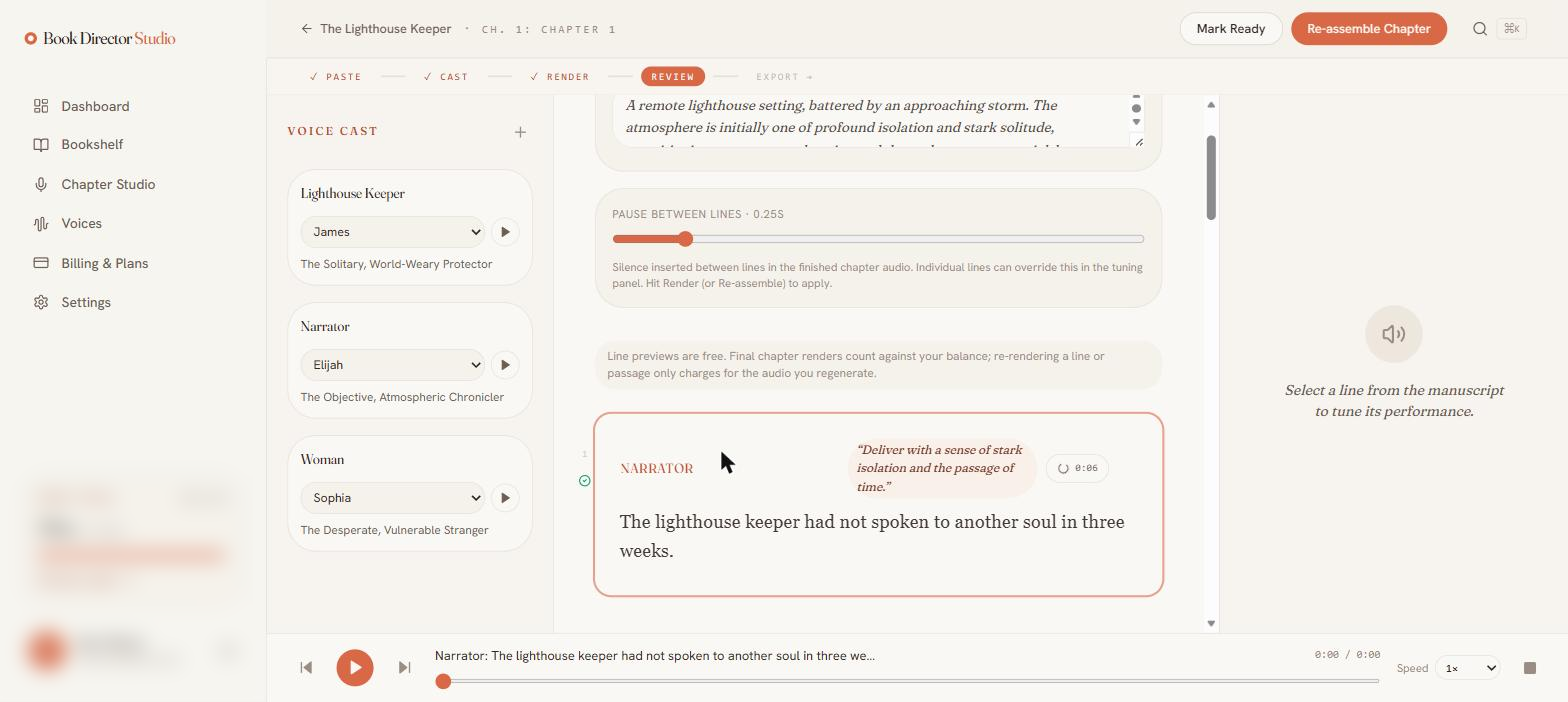
| Control | What it does |
|---|---|
| Play / skip | Play, pause, and jump to the previous or next line. |
| Now-playing label | Names the speaker and shows the line being read. |
| Scrubber & time | Seek within the chapter and see elapsed / total time. |
| Speed | Change playback speed for faster review. |
| Reviewed counter | Tracks progress (for example, “0 / 14 reviewed”). |
Individual lines also have their own play button and duration, so you can spot-check a single take without playing the whole chapter.
Mark the chapter ready
When you are happy, choose Mark Ready. The header turns into a Ready — Export → control that takes you to the export flow, and the stepper advances to Export.