Finish & publish
Export & ACX check
Export turns your rendered chapters into a finished audiobook file. The ACX-style preset masters the audio to spec in one click, and a readiness report measures the result against ACX submission requirements.
Open the exporter
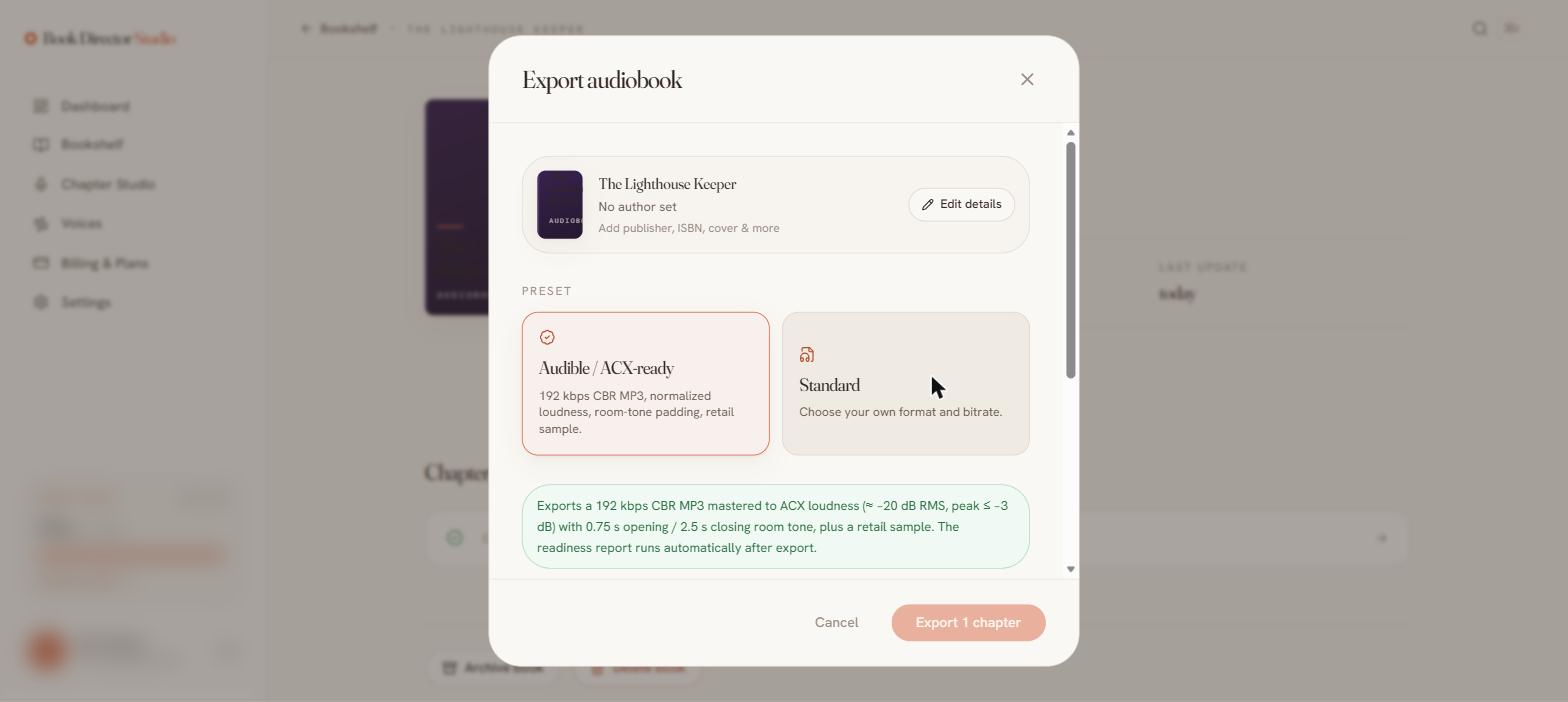
Choose Export book on the book page, or follow the Ready — Export control out of the studio. The dialog shows your book’s metadata at the top with a shortcut to edit it.
The Final Pass checklist
The dialog opens with a pre-flight review of the whole book: every chapter rendered, lines marked reviewed, voice consistency verified, every character on a distinct voice, pronunciation entries in place, metadata (author, narrator, cover) filled in, and whether a retail sample will be generated. Warnings don’t block the export — they flag what a retailer or listener would notice, so you can fix it first.
Pick a preset
| ACX-style preset | 192 kbps CBR MP3, normalized loudness, room-tone padding, and a retail sample. Mastered to ~−20 dB RMS, peak ≤ −3 dB, with 0.75 s opening / 2.5 s closing room tone. By default each chapter is exported as its own file (see below). |
| Standard | Choose your own format (M4B or MP3) and bitrate. |
Separate files per chapter
ACX-style delivery expects one file per chapter or section, not a single merged audiobook — and each uploaded file must meet the submission spec on its own. The Keep chapters as separate files checkbox (on by default with the ACX-style preset, available for any MP3 export) masters every chapter individually — loudness and opening/closing room tone are applied per file, and every file is measured against the spec, including the 120-minute per-file limit (a chapter that runs over is flagged in the report; split it in the studio and re-export). The export arrives as a ZIP of numbered MP3s (01 - Opening Credits.mp3, 02 - Chapter One.mp3, …) with a plain-text readiness report inside, and the export history shows a pass/fail check and download link for every file. Uncheck it to get the single merged MP3 instead.
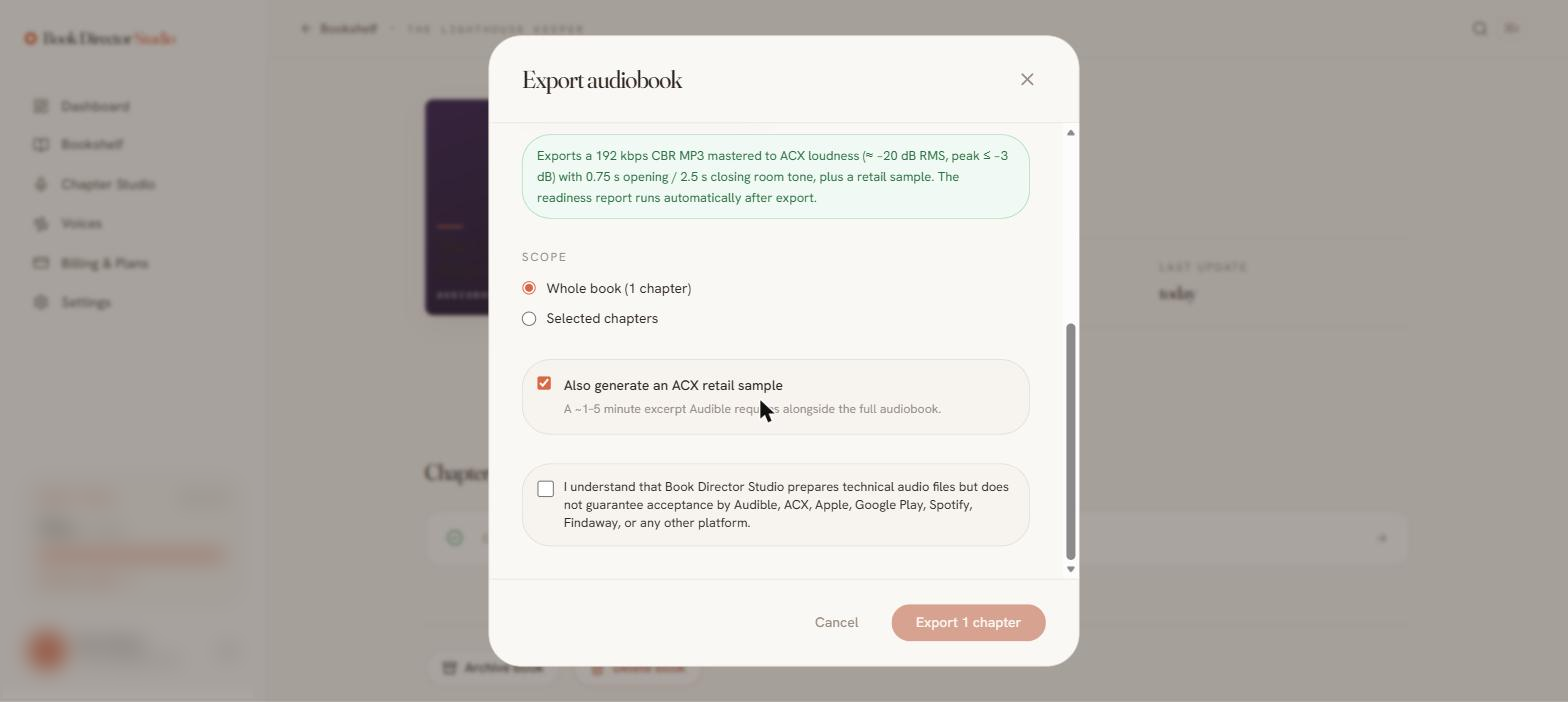
- Scope — export the whole book or selected chapters.
- ACX retail sample — generate the excerpt of about three minutes that retail stores use for listen samples.
- Acknowledgment — you confirm the studio prepares technical audio files but does not guarantee acceptance by any platform.
Formats
| M4B | Chaptered audiobook with markers — Apple Books, Audible. |
| MP3 | Universally playable single file — Findaway, podcasts. |
The ACX readiness report
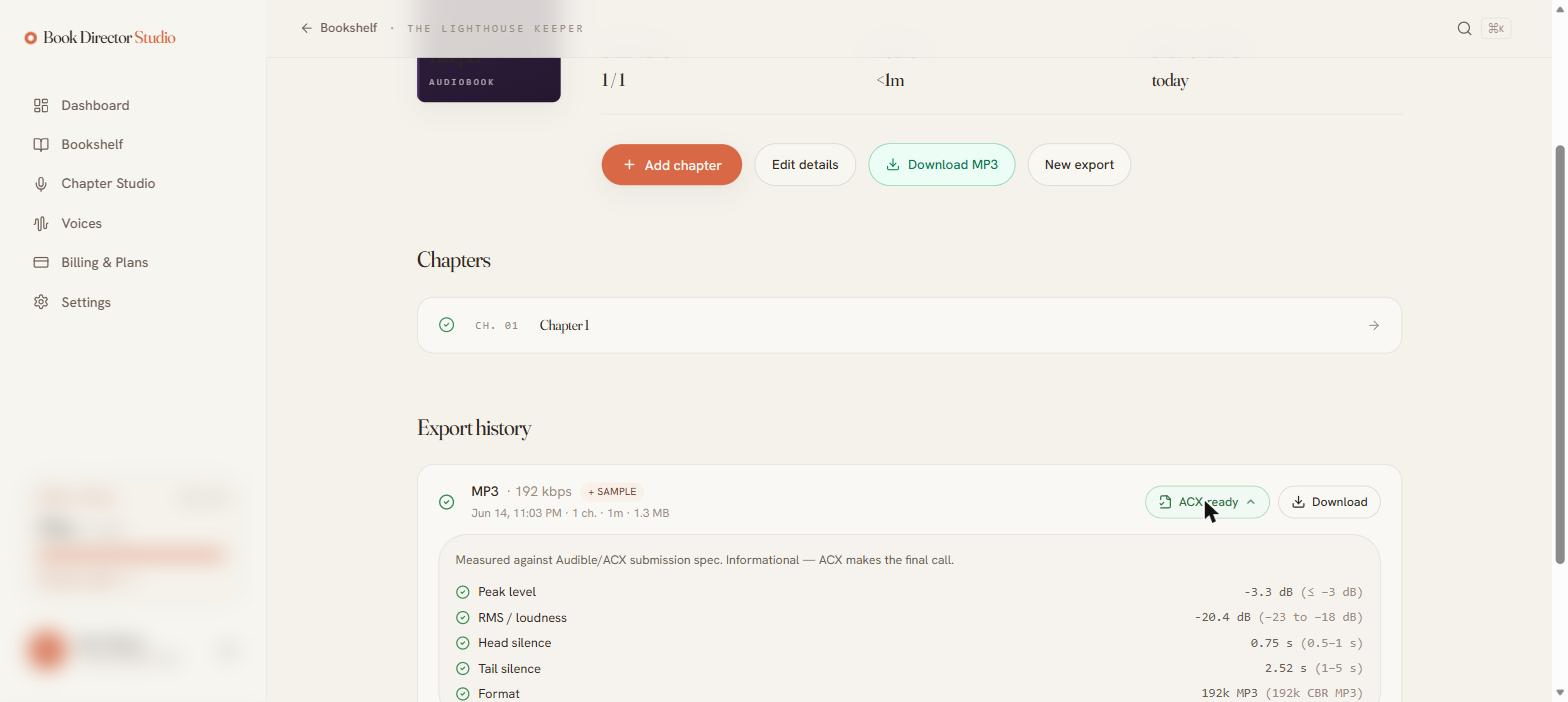
After export, open ACX check on any item in the export history. It measures the file against the ACX submission spec and marks each metric pass or fail — for a separate-files export, every chapter file is measured and listed individually. With the ACX-style preset, a clean render passes every check:
| Metric | Measured | Spec |
|---|---|---|
| Peak level | −3.3 dB ✓ | ≤ −3 dB |
| RMS / loudness | −20.4 dB ✓ | −23 to −18 dB |
| Head silence | 0.75 s ✓ | 0.5–1 s |
| Tail silence | 2.52 s ✓ | 1–5 s |
| Format | 192k CBR MP3 ✓ | 192k CBR MP3 |
Download & export history
Finished exports appear in Export history with format, bitrate, chapter count, duration, and size, each with its own Download button and ACX check (plus a Sample button when a retail sample was generated). The most recent export is also available as a primary download button on the book page — Download MP3 or Download M4B for a merged export, Download ZIP for separate chapter files.
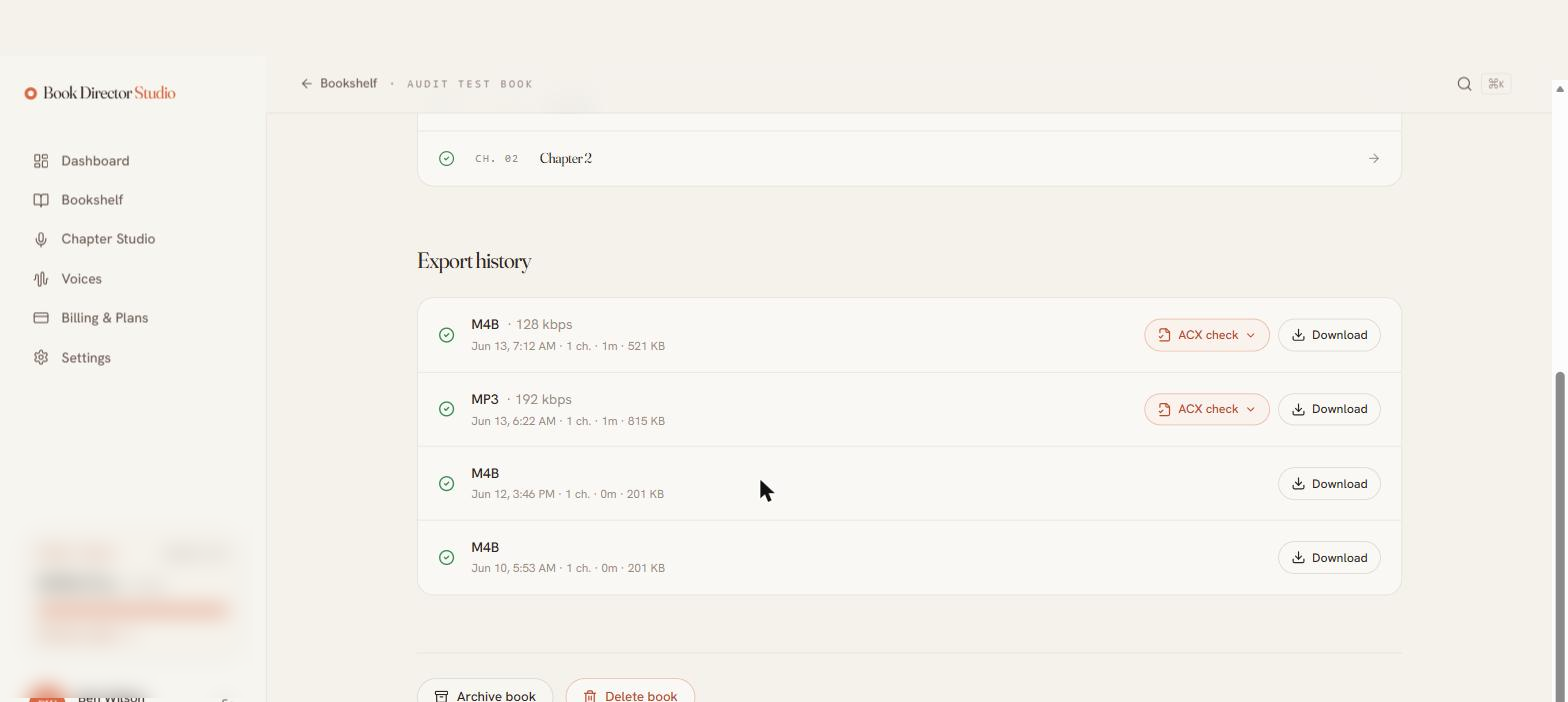
The readiness report is informational — it mirrors ACX checks so you can submit with confidence, but the retailer makes the final call.