Build your book
Import a manuscript
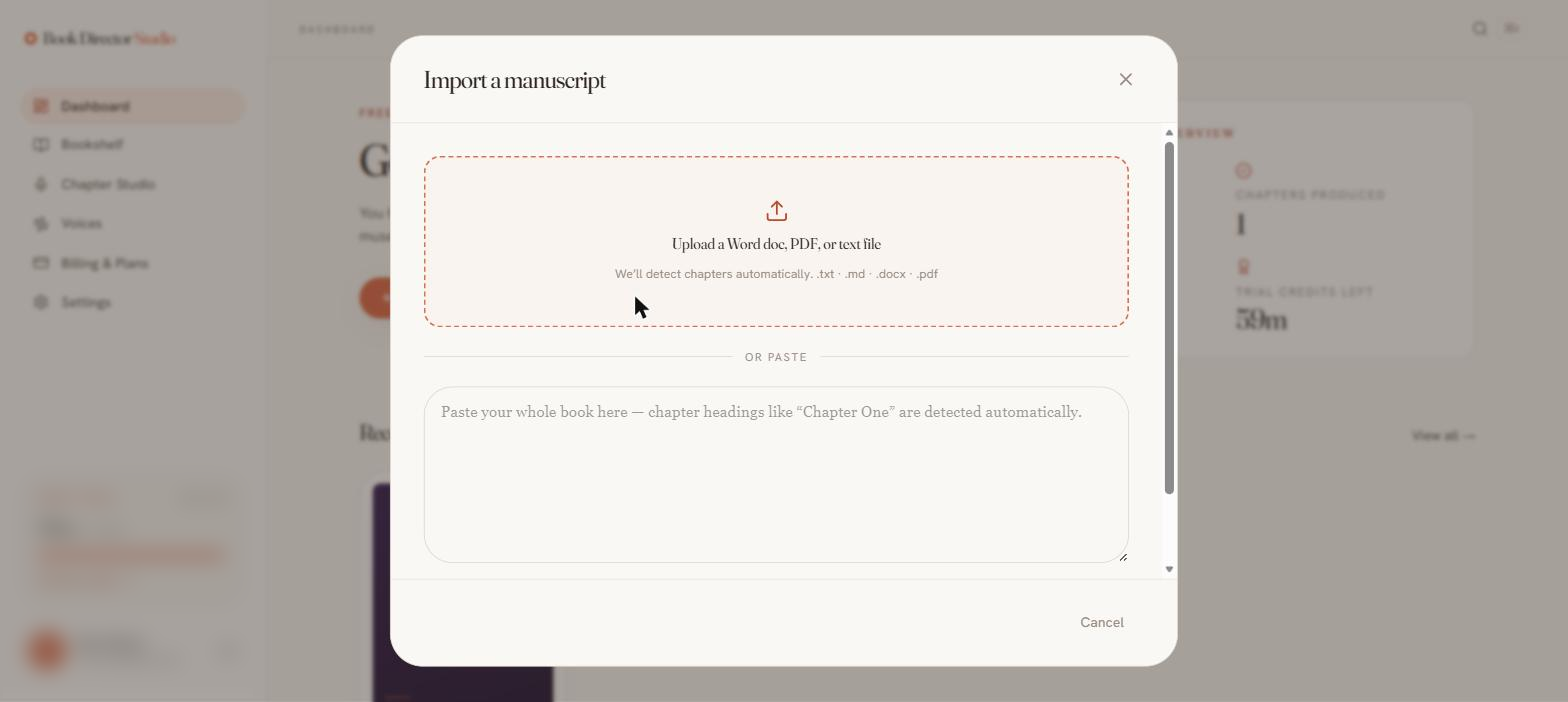
You can bring text in two ways: paste it directly into a chapter, or upload a whole manuscript and let the studio detect chapters automatically.
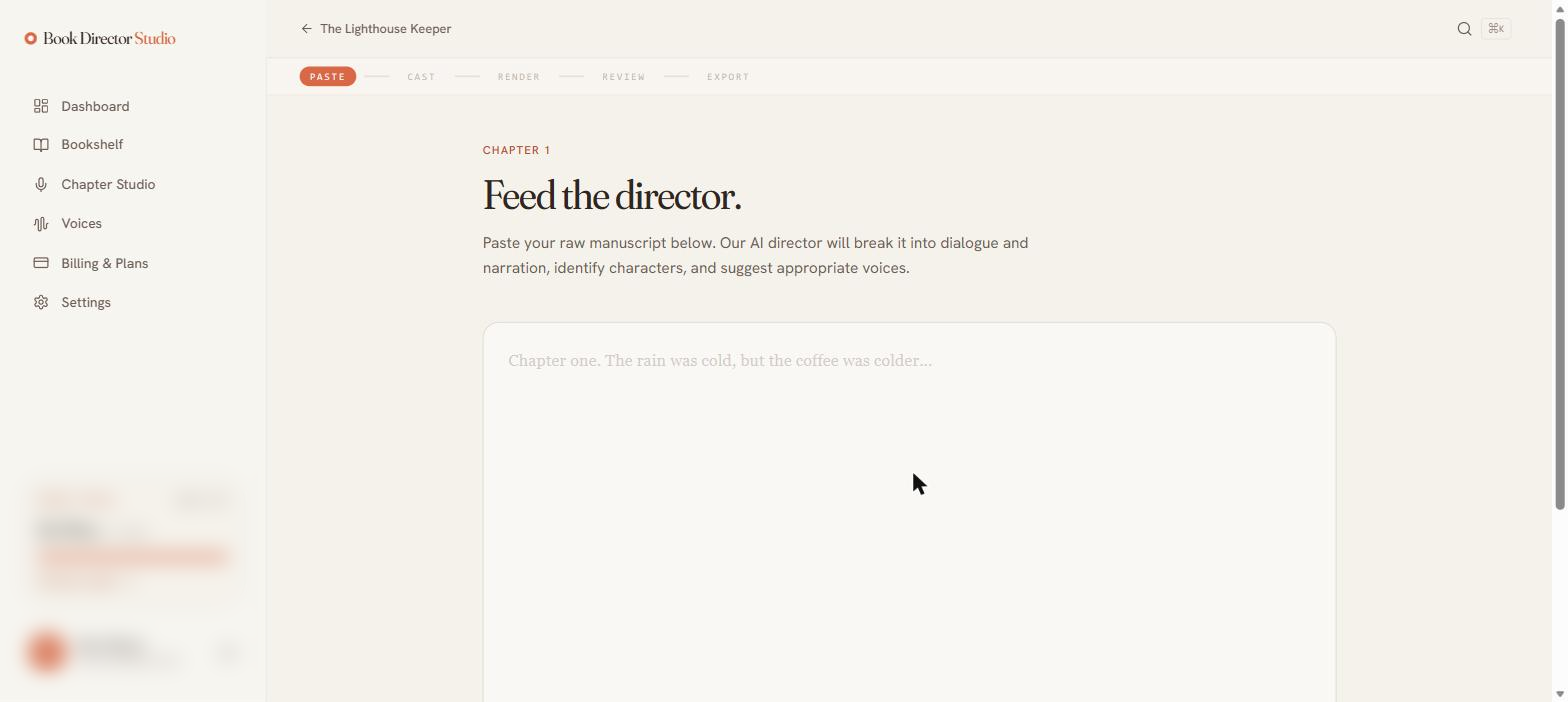
Paste a single chapter
Inside a chapter, the Paste step gives you a large text box. Paste your raw manuscript — the AI director will break it into dialogue and narration, identify characters, and suggest voices.
Upload a manuscript
From the dashboard, choose Import manuscript to open the importer. Drop in a file or paste the whole book; chapter headings like “Chapter One” are detected automatically.
| Supported uploads | .txt · .md · .docx · .pdf · .epub |
|---|---|
| Chapter detection | Automatic, from headings in the text. |
Word count, estimate, and rights
Before parsing, the paste screen shows a live word count and an estimated render cost in credit-minutes (rounded up to the minute). You must also confirm a rights certification — that you own or control the rights to the manuscript and any materials you upload — before the Parse Manuscript button activates.
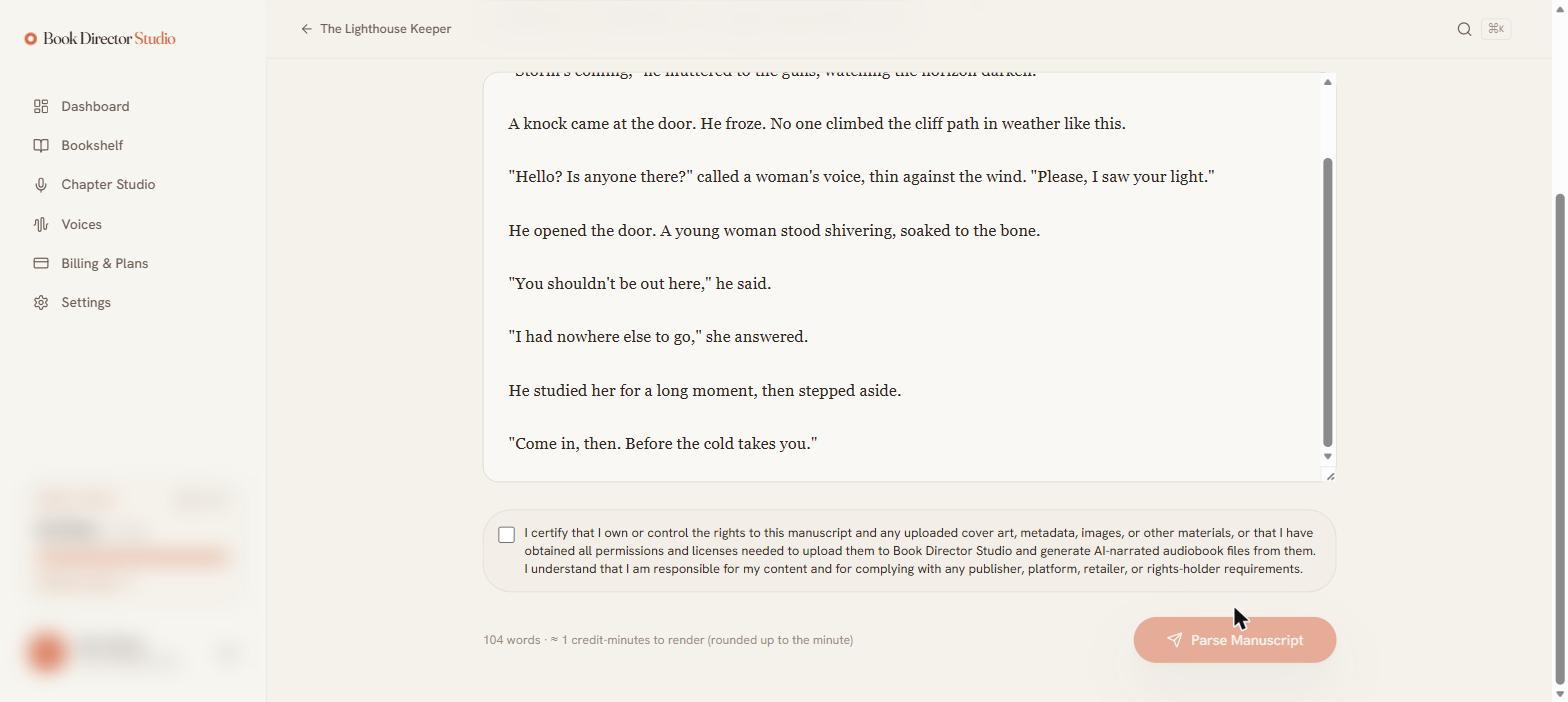
The estimate uses roughly 140 words per finished minute. The actual charge is based on the audio produced and is settled after the render.