Build your book
Parse & cast voices
Parsing is where the studio earns the name “director”: it reads your text, separates narration from dialogue, detects who is speaking, writes a scene context, and assigns a distinct voice to each character.
Run the parse
Select Parse Manuscript. The button shows Directing script… while the AI works, then drops you on the Cast step.
What the director produces
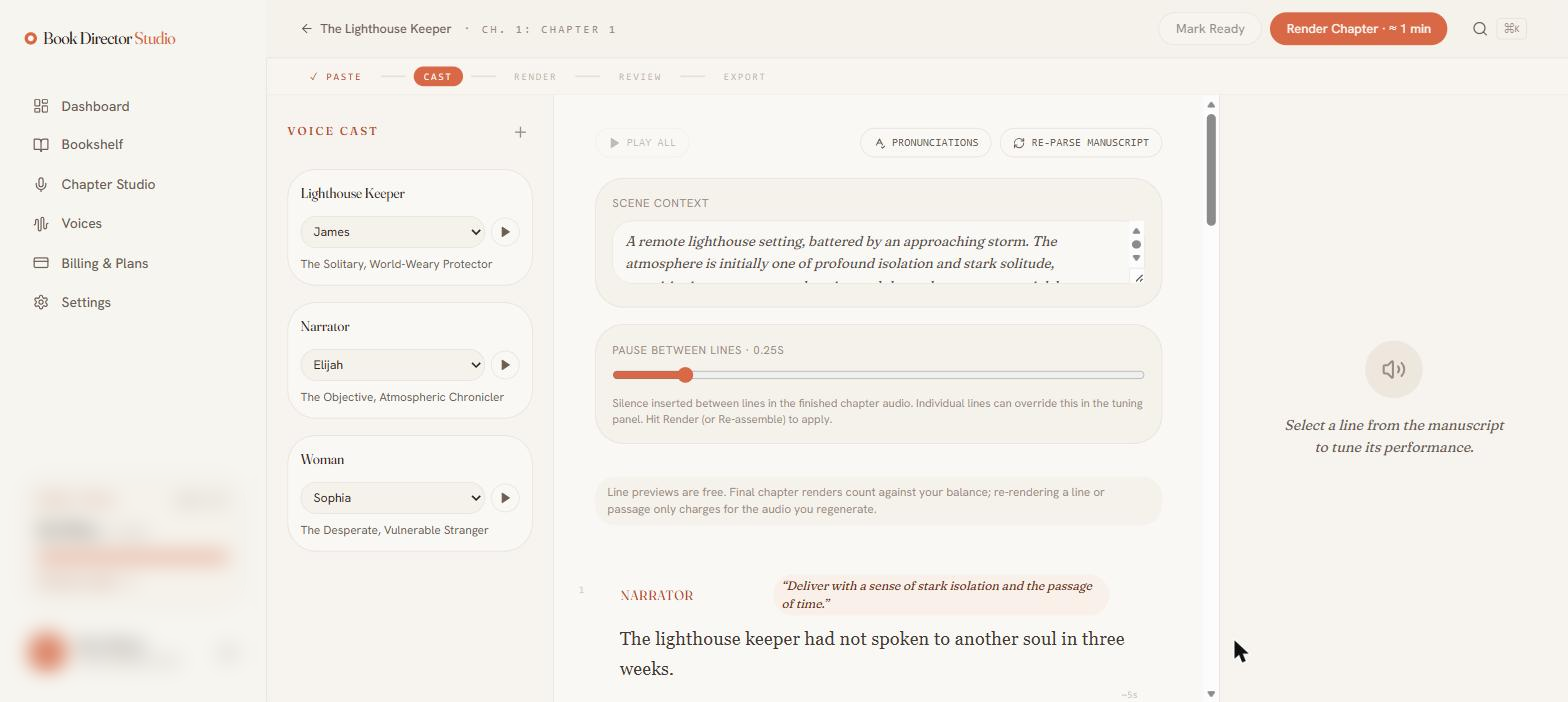
- A voice cast — one card per detected character, each with a suggested voice, an audition button, and a one-line character description (for example, “The Solitary, World-Weary Protector”).
- Scene context — an auto-written summary of the setting and mood that informs the performance.
- Per-line performance notes — a short direction above each line (for example, “Deliver with a sense of stark isolation”).
- Speaker attribution — each line is tagged with the character who speaks it; narration goes to the Narrator.
Adjust the cast
- Change any character’s voice from its dropdown, and press the play button to audition it.
- Add a character with the + next to Voice Cast.
- If two characters share the same voice, the studio shows a warning so you do not accidentally give two people one voice.
Need to start over? Re-parse manuscript re-runs the director while preserving casting you have already set.
Audition & voice verification
Right after a parse, the casting review screen lets you audition every character before entering the studio. Auditions are free. The optional Audition line box at the top plays the same line through different voices — the fastest way to compare them; leave it blank and each character auditions on their own first line from the chapter.
Each audition also measures the take’s pitch (for example, “Measured 160 Hz — verification range 128–200 Hz”). When you choose Continue to the studio, that range locks in for the character, and future renders of their lines are verified against it so the voice you approved is the voice you keep. Changing a character’s voice later resets the range.
Set the pause between lines
The Pause between lines slider (default 0.5s) controls the silence inserted between lines in the finished chapter. Individual lines can override it in the tuning panel.